Technology that works
around you.
A thoughtfully built digital experience, designed to make everyday tasks simpler, faster, and more connected. Download the verified production Android application directly to your device.
Distributing directly is not an alternative.
It is an operational advantage.
Every release is compiled with our release keystore and published with a public SHA-256 hash. Install with confidence on any Android device from 7.0 to Android 16.
RUWIA was engineered from first principles for water can logistics: real-time stock balances across warehouses, driver GPS route dispatch, customer deposits, and instant receipt generation.
Direct Deployment Velocity
By releasing directly via signed production packages, hotfixes and critical updates reach drivers and warehouse teams immediately without waiting on app store review pipelines.
Zero Third-Party Telemetry
Every binary is compiled clean. There are no advertising SDKs, tracking pixels, or third-party analytics bloat—saving battery and cellular bandwidth on route.
Total Operational Independence
Your organization retains complete control over distribution, version pinning, and rollouts across single handsets or company-wide Android fleets.
Engineered for daily operations
on the move.
Every feature is purpose-built for physical water distribution: inventory auditability, rapid POS checkout, and seamless driver dispatch.
Live Multi-Warehouse Stock & Can Tracking
Track every 20L water can, empty return case, and buffer stock across multiple hub locations in real time. Drivers record drop-offs and collect empties in one tap, instantly reconciling warehouse ledgers.
Route Dispatch & GPS Navigation
Assign bulk orders to delivery personnel, launch Google Maps directions in one tap, and log customer signatures or photo drop-off verifications on-site.
Can Ledger & Deposit Balances
Never lose a deposit again. Automatically track outstanding 20L can counts per customer account with clear return histories.
POS Sales & Instant Receipts
Generate clean invoices, accept cash or UPI, and share receipts instantly via WhatsApp or SMS.
Offline-First Data Storage
Basement warehouses and dead cellular zones never block billing. Data stores locally and syncs automatically once reconnected.
Firebase Cloud Messaging
Drivers receive immediate push dispatches for newly assigned routes and priority delivery requests.
Designed for tactile
efficiency in the field.
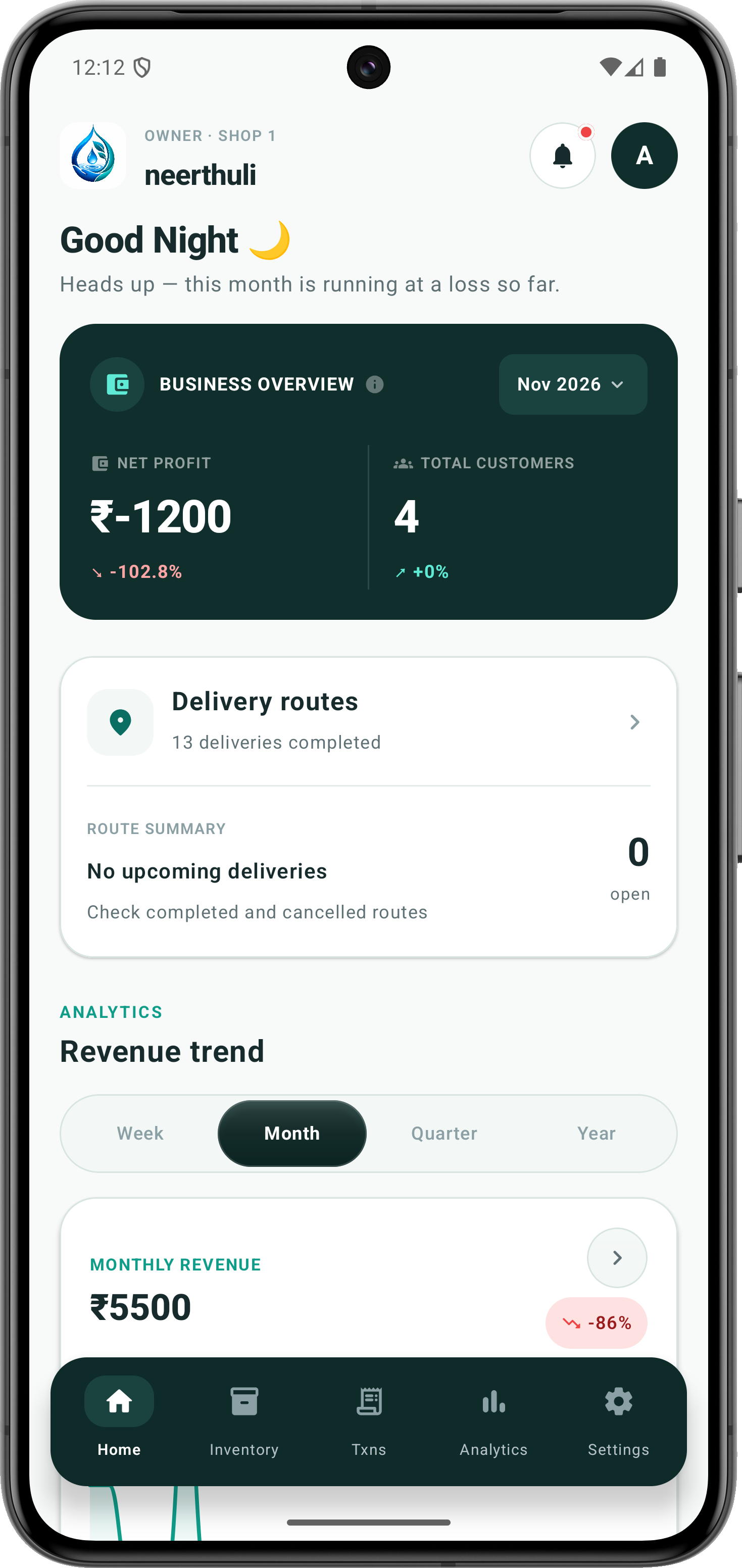
Real-Time Owner Dashboard
Comprehensive live KPIs: monthly net profit, total customers, completed routes, and revenue trends.
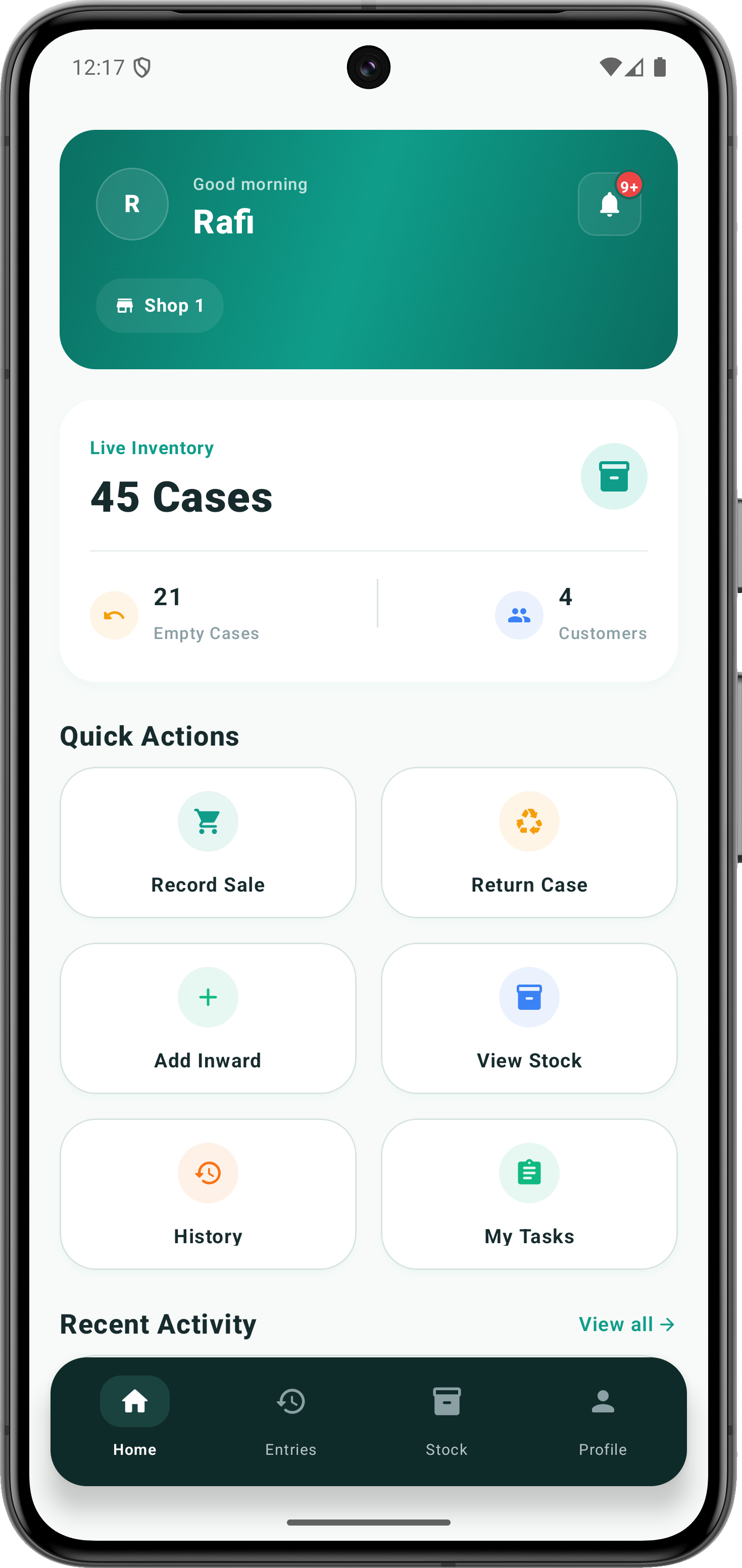
Driver & Shop Daily Portal
Shift overview with 45 cases live inventory, 21 empty returns balance, and one-tap quick actions.
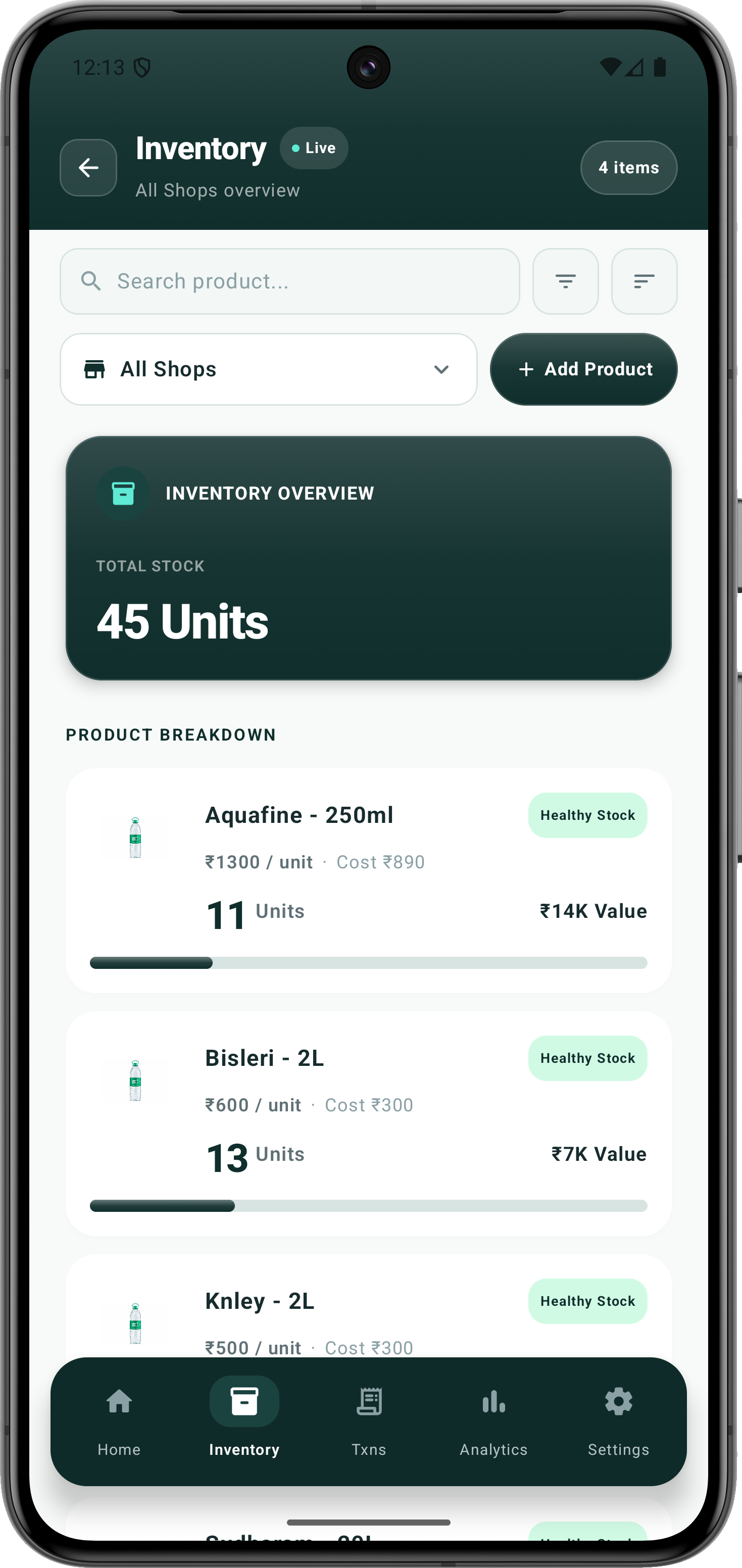
Multi-Shop Stock Ledger
Live overview across all shops with unit breakdown, per-product cost valuation, and health indicators.
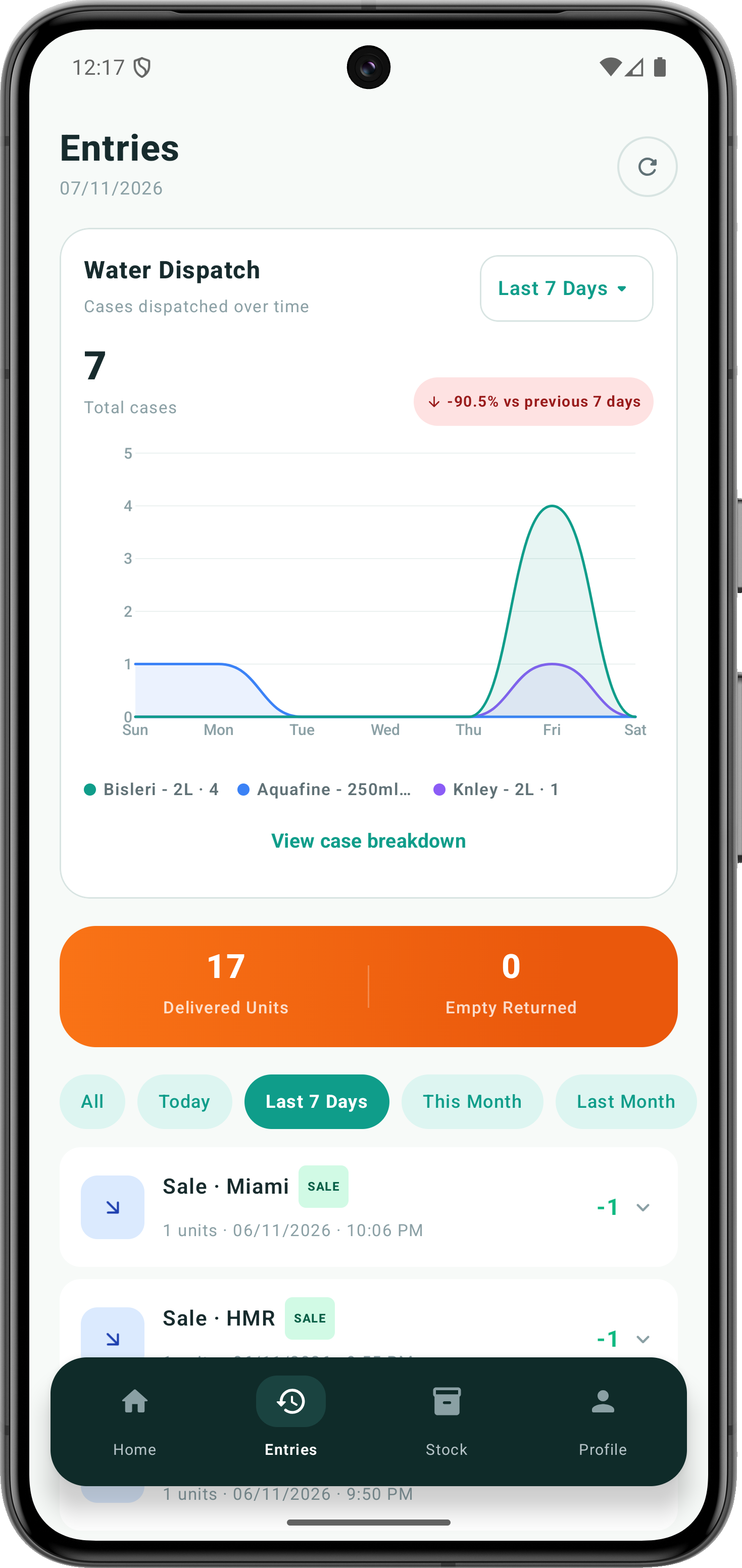
Water Dispatch Outflow Trends
Visual case dispatch volume over time, delivered units tally, and empty returns reconciliation.
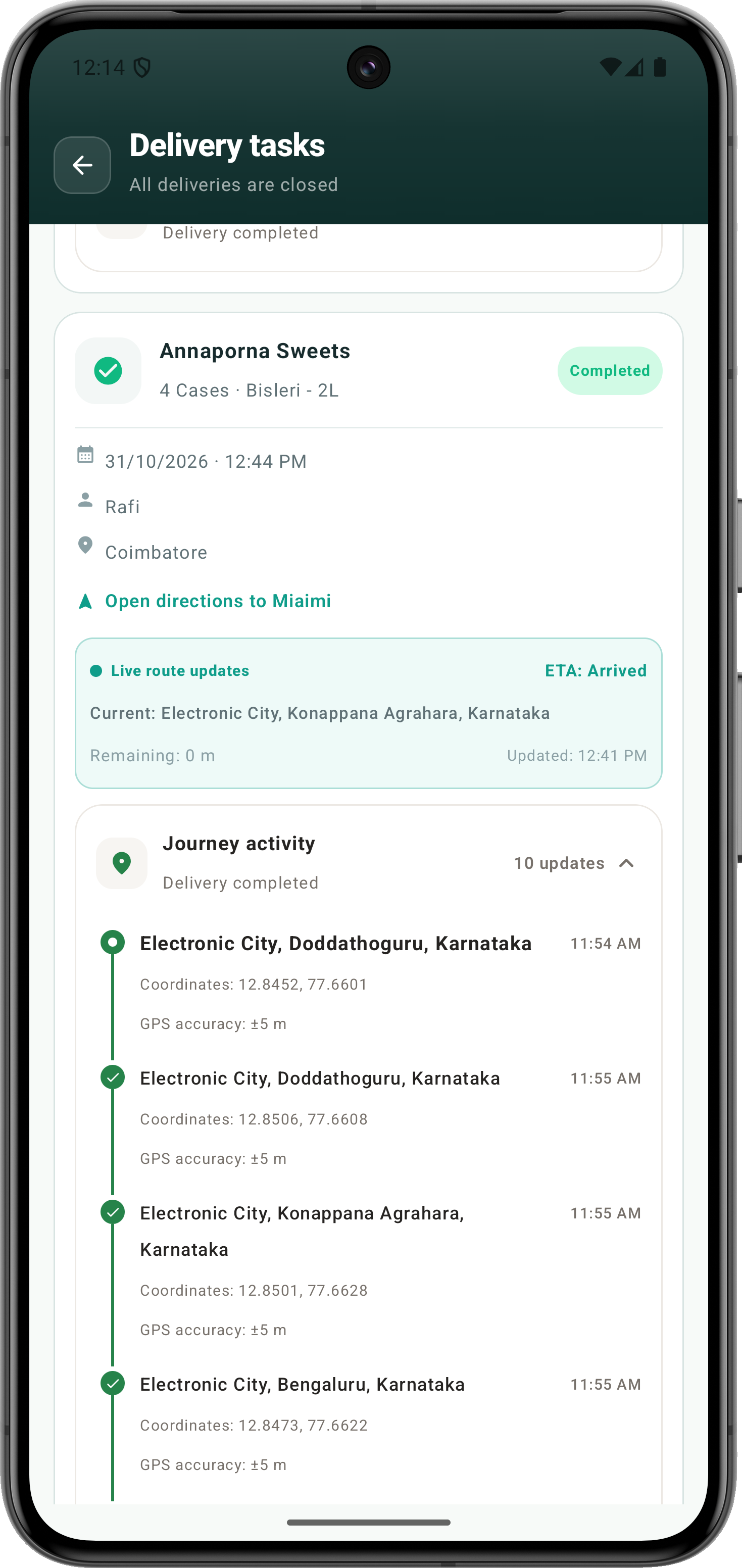
Live GPS Route Tracking
Real-time delivery journey activity with breadcrumbs and latitude and longitude coordinates.
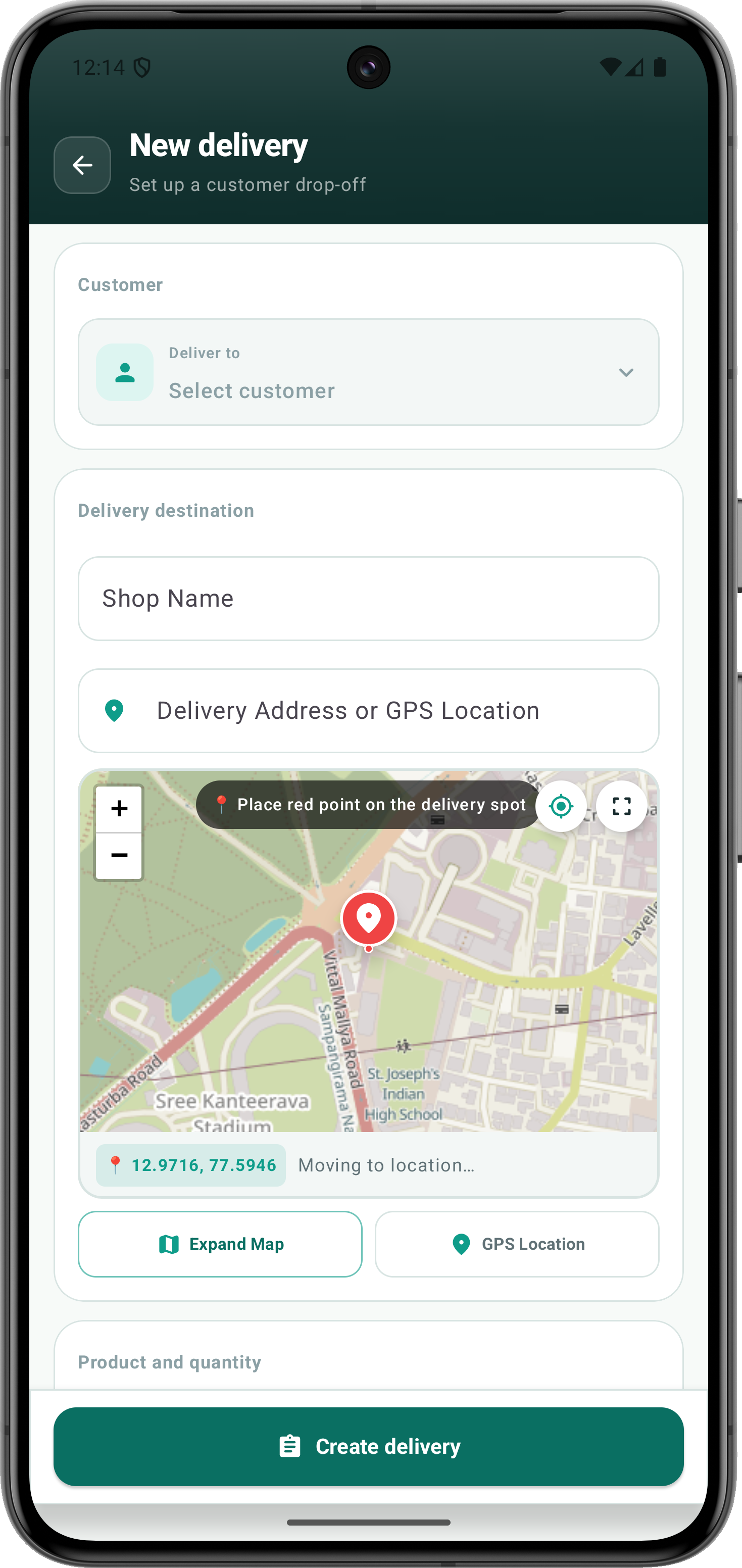
Interactive Map Dispatch
Pinpoint customer drop-off locations directly on an interactive map with auto-detected GPS coordinates.
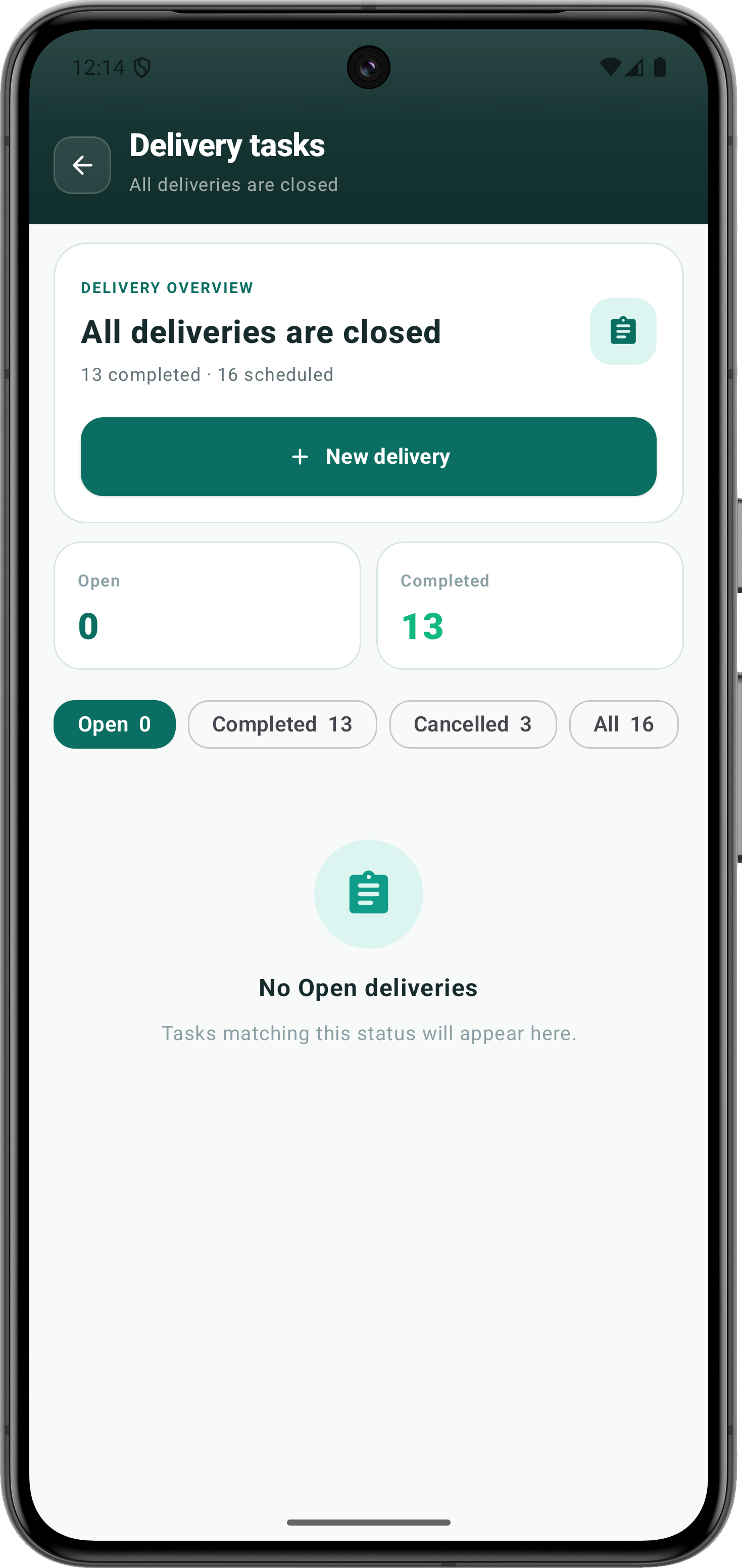
Delivery Task Dispatch Queue
Schedule vs completed route audits, fast task filtering, and instant new delivery creation.
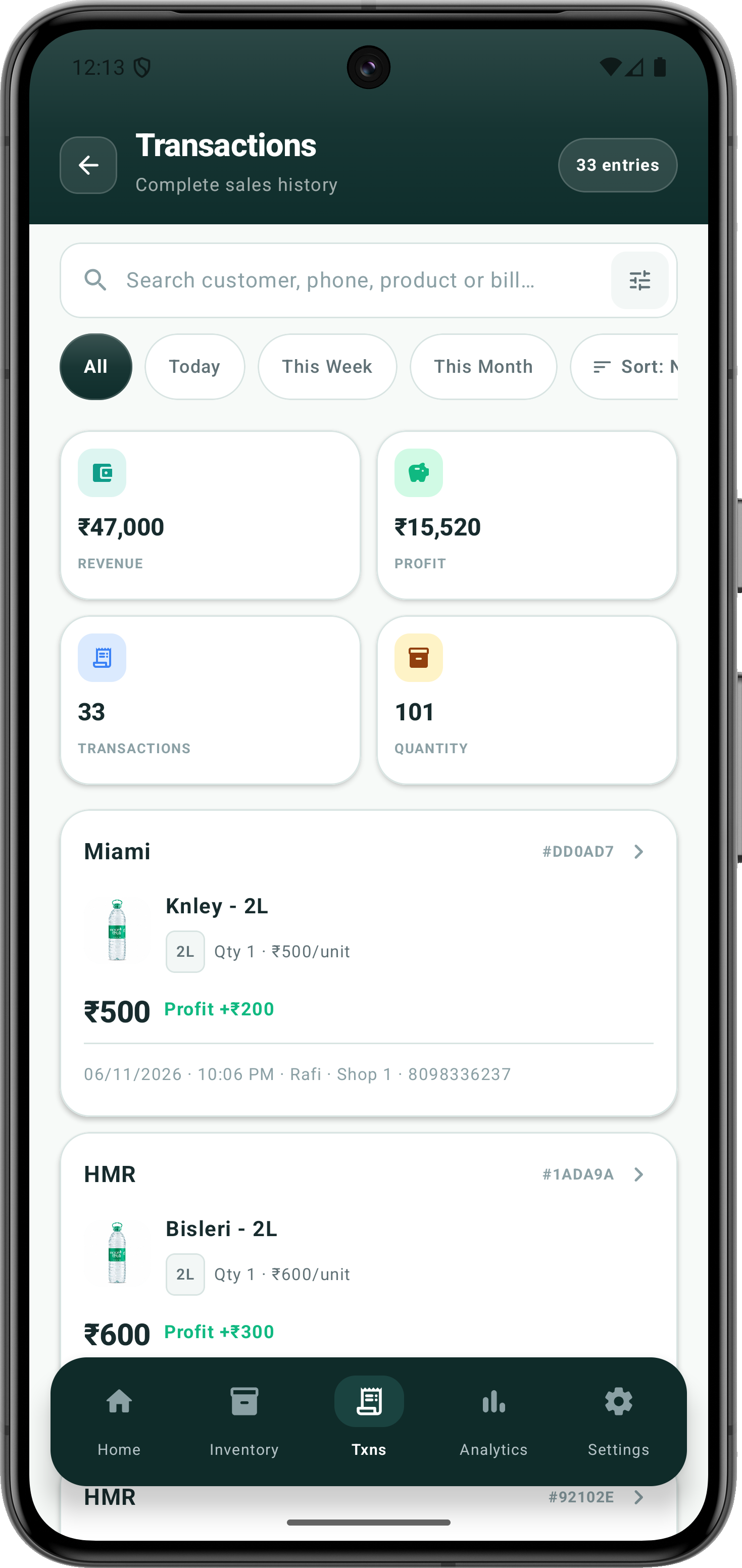
Sales & Transactions Ledger
Comprehensive 33-entry sales ledger with individual profit margins, customer names, and receipt IDs.
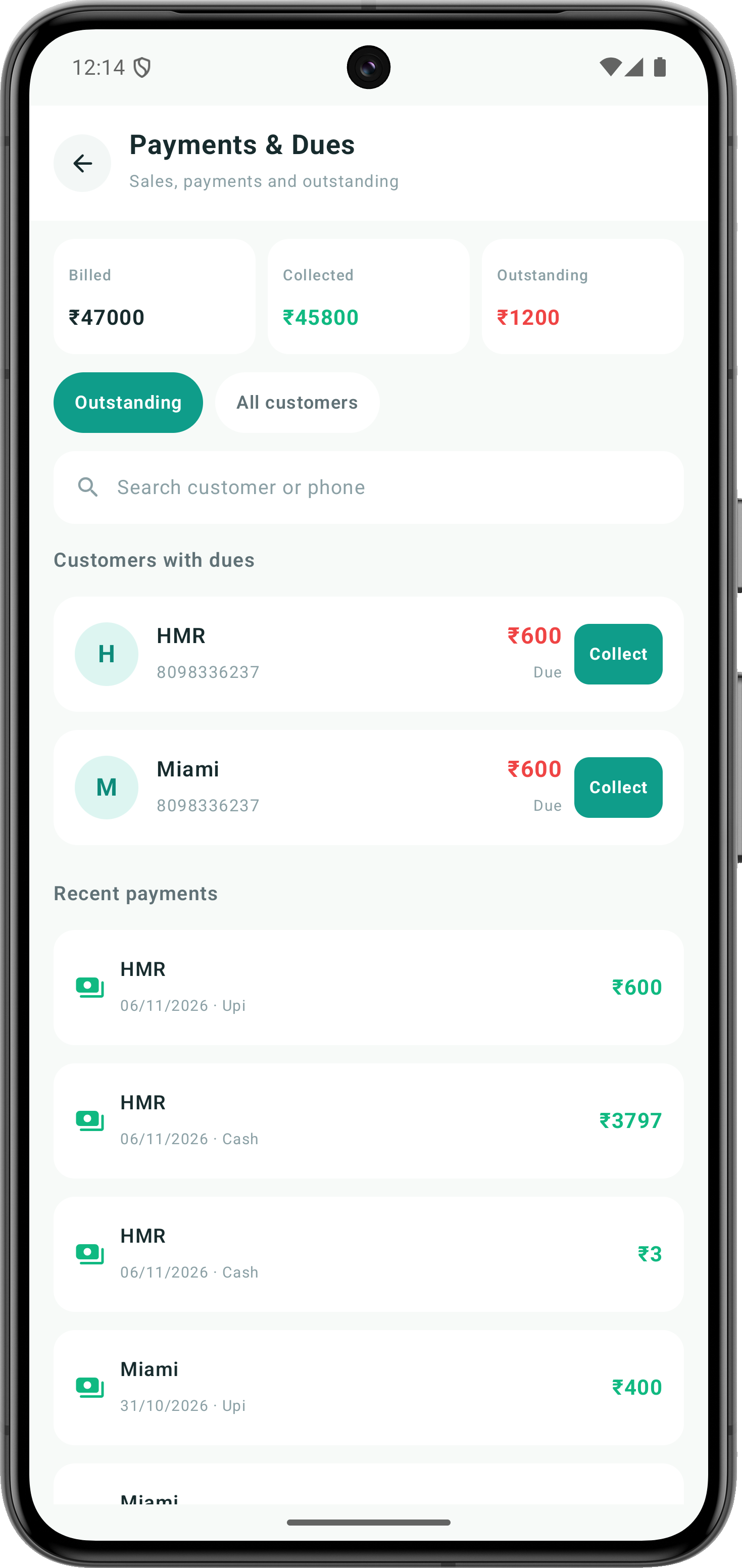
Payments & Outstanding Dues
Track billed vs collected amounts, dues alerts per customer, and instant UPI or Cash payment logs.
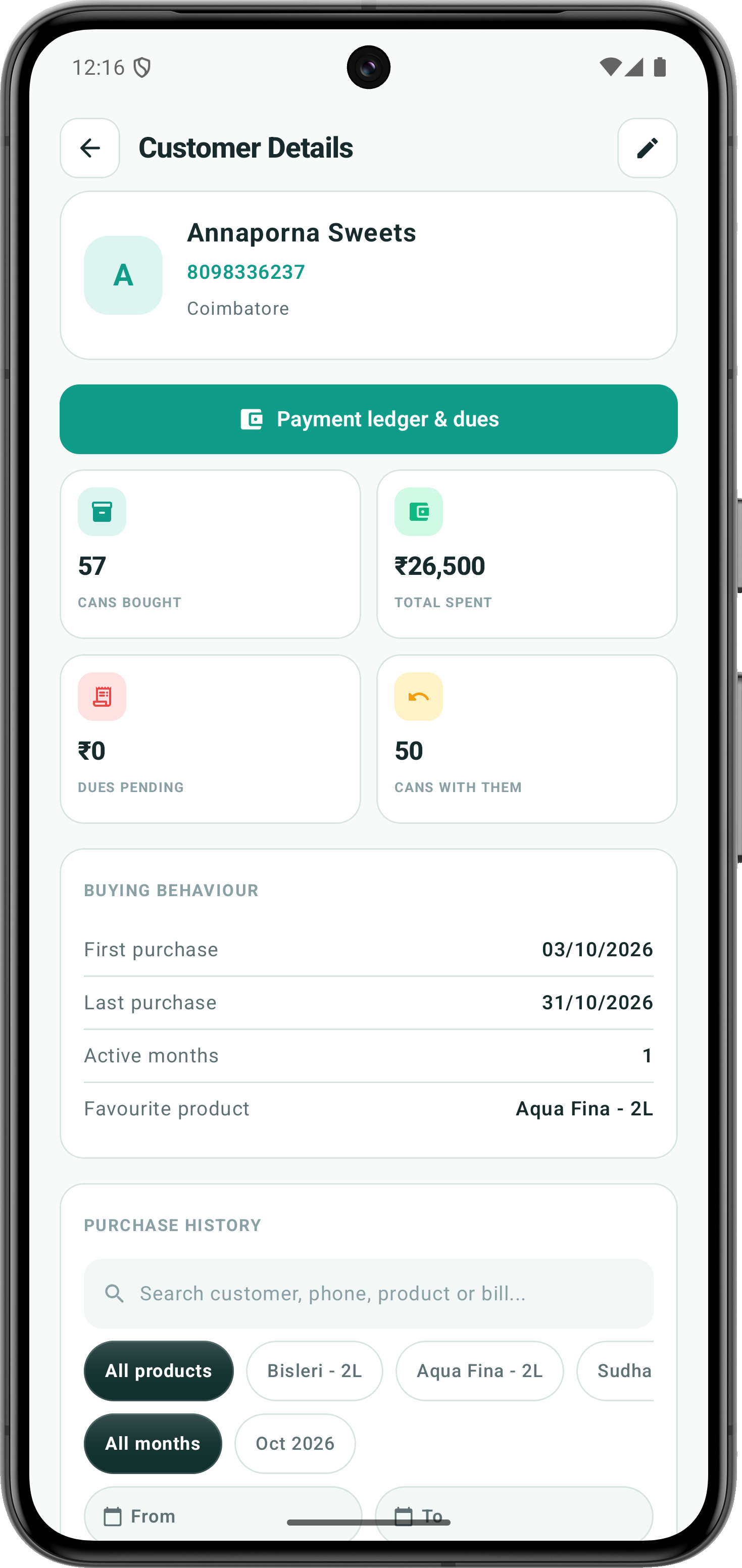
Customer Bottle & Can Accounting
Customer profile tracking empty bottles in their possession (50 cans with them) and purchase history.
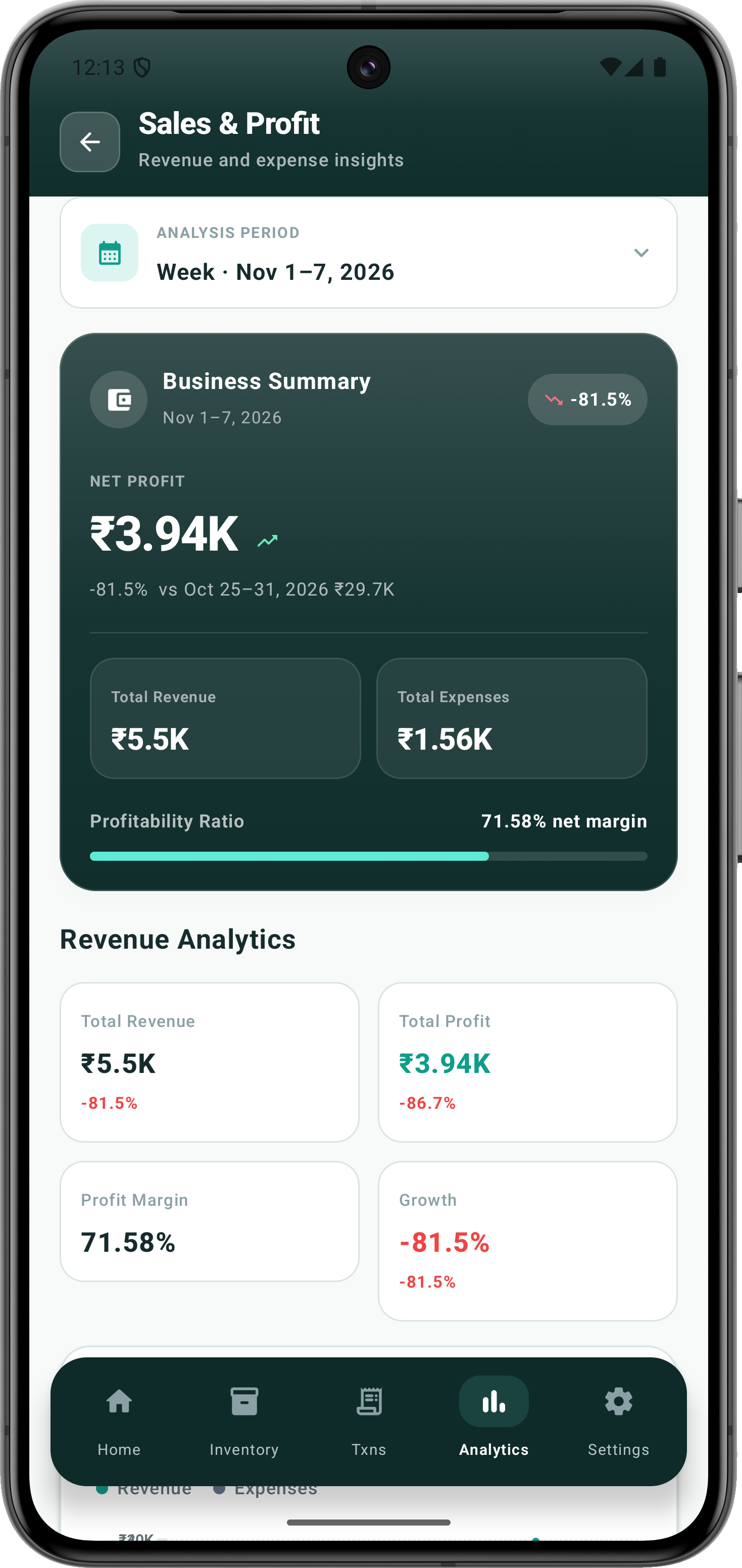
Profitability & Margin Analytics
Net profit analytics, revenue vs expense curves, and 71.58% net margin performance insights.
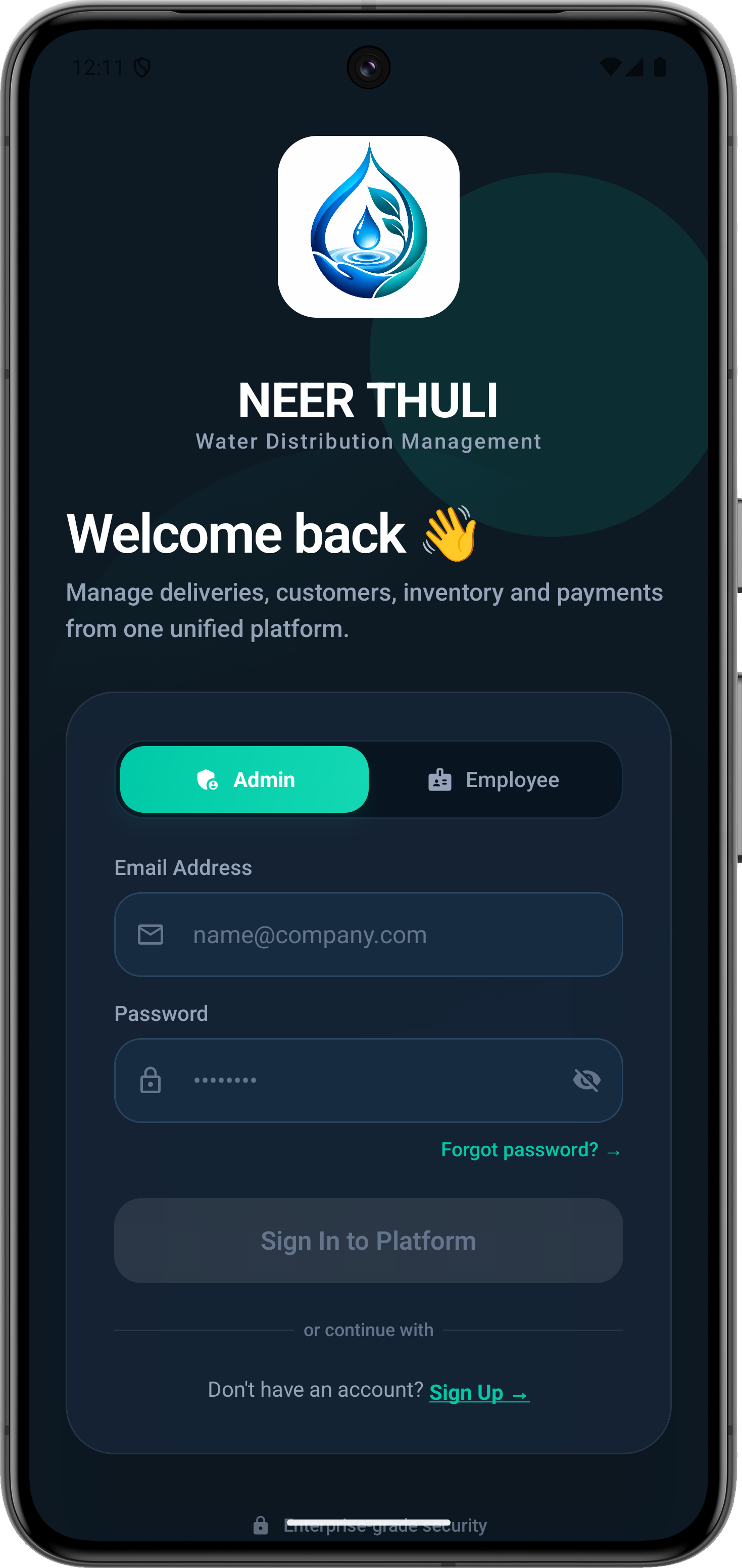
Enterprise Role Authentication
Unified secure sign-in portal with dedicated Admin and Employee profile access toggles.
Verified Production
Android Package.
Download the official signed release binary directly. No telemetry, no intermediate stores, no delayed approval queues.

sha256sum ruwia-v2.5-release.apkWhen installing directly from a browser for the first time, Android displays a standard prompt: “For your security, your phone is not allowed to install unknown apps from this source.” This is standard behavior for all direct installations outside Google Play. Tap the completed download notification to open the APK, then tap Settings, toggle Allow from this source, and tap Install.
Upgrading from a build signed with the old certificate (v2.3 or earlier)? Android may ask you to uninstall it once before installing v2.5.
How to install on
your Android device.
Four short steps. Only the third one appears on the first install — updates skip straight to the confirmation.
Skip the file manager.
The moment the APK finishes downloading, Android posts a notification. That notification opens the installer directly — no searching, no Settings detour.
ruwia-v2.5-release.apk
Download complete · Tap to install
No notification? Open Chrome and tap the download icon in the toolbar, or use Files → Downloads.
What Android allows a website to do
The remaining confirmation is a platform rule, not a Ruwia limitation. It exists so no website can install software on your phone without your knowledge.
- Download the signed APK to your phone.
- Open Android's package installer on your behalf.
- Install an app without your confirmation.
Only a store install (Google Play) or an organisation's device-management system can skip these prompts. Direct APK distribution always ends with one tap from you.
Tap Download APK
Use the download button in the header or the specifications section. The signed package is served directly by this website.
Open the download notification
Swipe down from the top of the screen and tap the completed file. The Ruwia installer opens immediately.
Allow this source (first install only)
If Android says installs are blocked, tap Settings inside that prompt, switch on Allow from this source, then press Back.
Tap Install, then Open
Confirm the signed package details and tap Install. When it finishes, tap Open to launch Ruwia and sign in.
v2.5 is signed with a new production certificate. If Android reports “App not installed” while updating, uninstall the older v2.3 build once, then install v2.5. Your server data stays safe in your account and syncs back after you sign in.
Version-Specific Permission Instructions
Android moves this toggle around between releases. Pick your version:
Android 14–16: tap the downloaded APK and use the Settings button inside the install warning — it jumps straight to the Install unknown apps page for your browser. Turn on Allow from this source, press Back, then tap Install. Manual route: Settings → Apps → Special app access → Install unknown apps → Chrome.
Historical release
ledger & notes.
Every published production build is cryptographically archived with full changelog accountability.
- —Updated dashboard visuals and interaction feedback for clearer operational summaries.
- —Refined employee task and delivery timeline interactions.
- —Improved sales, stock purchase, inventory, and transaction screen flows.
- —Consistent colors, card surfaces, and chart styling across key app screens.
- —More responsive controls and clearer interaction states throughout the app.
- —Polished sign-in and dashboard behavior across admin and employee workflows.